Best for
Lending businesses with multiple branches that need branch-level operations and head-office visibility.
Multi-branch lending software
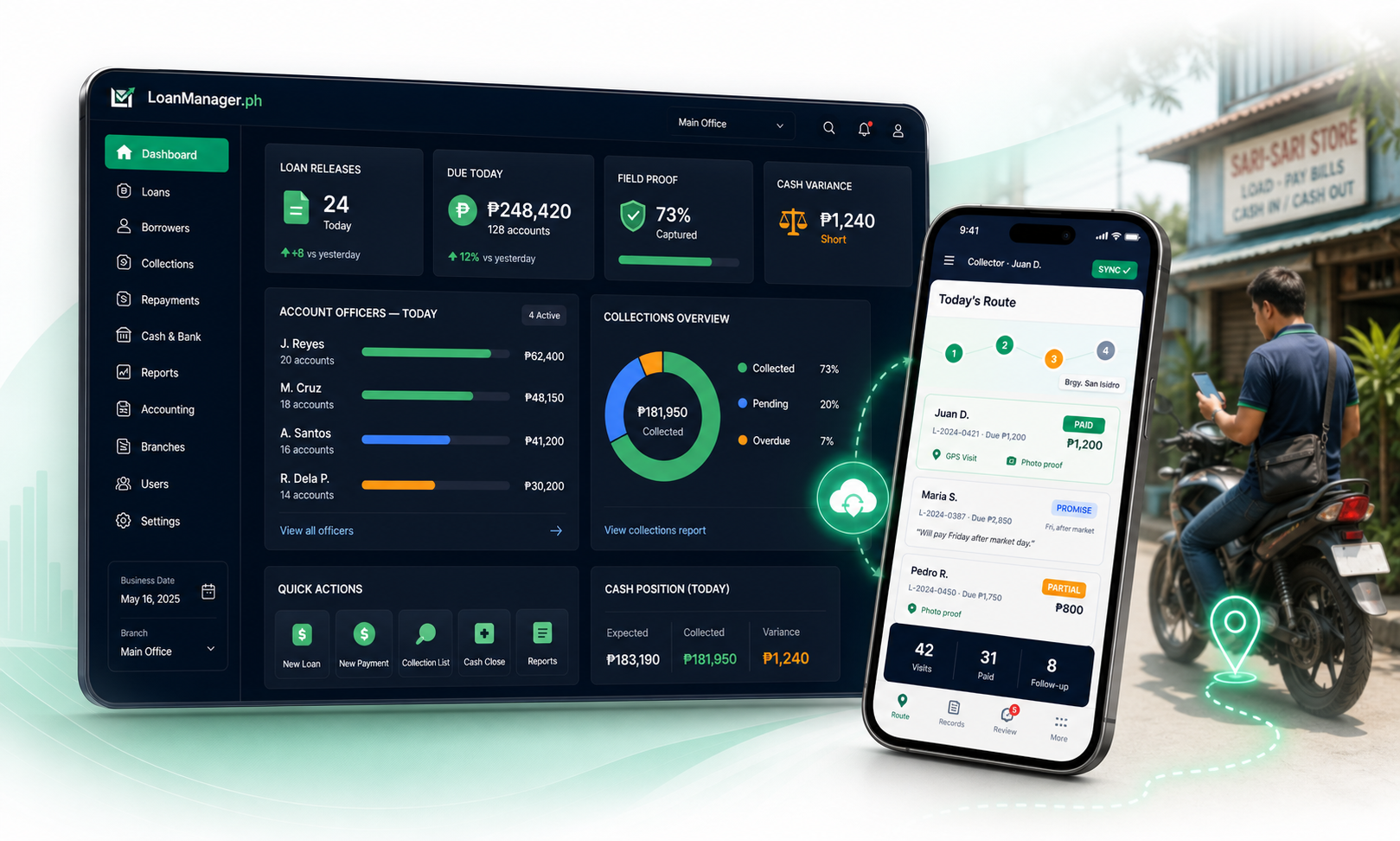
LoanManager.ph helps lending owners manage branch-level users, borrower records, loan releases, collections, daily cash, and reports while keeping head office visibility across the business.
Direct answer
LoanManager.ph helps lending owners manage branch-level users, borrower records, loan releases, collections, daily cash, and reports while keeping head office visibility across the business.
Best for
Lending businesses with multiple branches that need branch-level operations and head-office visibility.
Demo focus
Review branch access, user roles, collector assignment, branch cash review, consolidated reports, and rollout order.
Switching note
Start with one branch or pilot branch, then standardize the workflow before expanding.
What this solves
A branch can manage its daily lending work without mixing records with another branch, while still following the same system rules and reporting structure.
Owners and managers can review branch performance, collection activity, cash position, past-due accounts, and reporting output without waiting for spreadsheets to be sent.
Different staff need different screens. Tellers, collectors, account officers, supervisors, bookkeepers, and managers can be configured with the right permissions.
Common questions
These pages are a starting point. The demo is where we map LoanManager.ph against your actual branches, collectors, records, and reporting process.
Yes. Branches, users, and roles are part of the system design so staff can work within the proper branch and responsibility.
Yes. Head office visibility is one of the main reasons to use a cloud-based lending system instead of isolated branch files.
Yes. A practical rollout can start with one branch, stabilize the workflow, then expand to other branches.
Next step
Book a 30-minute demo. We can focus on loan approval, field collections, migration, daily cash, accounting, or the exact workflow your office needs to fix first.
Related pages
Lending Software Philippines
Cloud-based lending software for Philippine lending offices. Run loan approval, releases, repayments, daily cash, accounting, reports, and field collectors in one system.
Loan Management System Philippines
A loan management system for Philippine lending offices that connects borrower records, approvals, releases, repayments, collections, daily cash, and reports.
Field Collections App
A field collections app for lending businesses in the Philippines. Assign borrowers, record repayments, capture GPS and photo proof, and sync collector activity to the office.
Lending Accounting Software
Lending accounting software support for daily cash, repayments, releases, expenses, borrower ledgers, journal entries, cash receipts, and bookkeeper review.